(Maya) Batch Exporter 1.1 - Free
Link for download: https://artstn.co/m/R1Jm
Version 1.1 is out!
Batch Exporter 1.0 for Maya
Export multiple selected meshes into its own .fbx or .obj files.
As long as you have the same name on your mesh/group in the Outliner, it will override the same same file with the same name. You wont be prompted to save. Since this makes it easy to just hit "Export" when you want to see changes.
Installation:
This is a Python script so make sure to import it as one.
Drag and drop the file into the script editor in Maya or open it via the script editor and run it.
Make a shelf button via either selecting everything in the script and drag and drop to the shelf or press "Save Script To Shelf" icon. That is located close to the "Save" icon in the script editor.
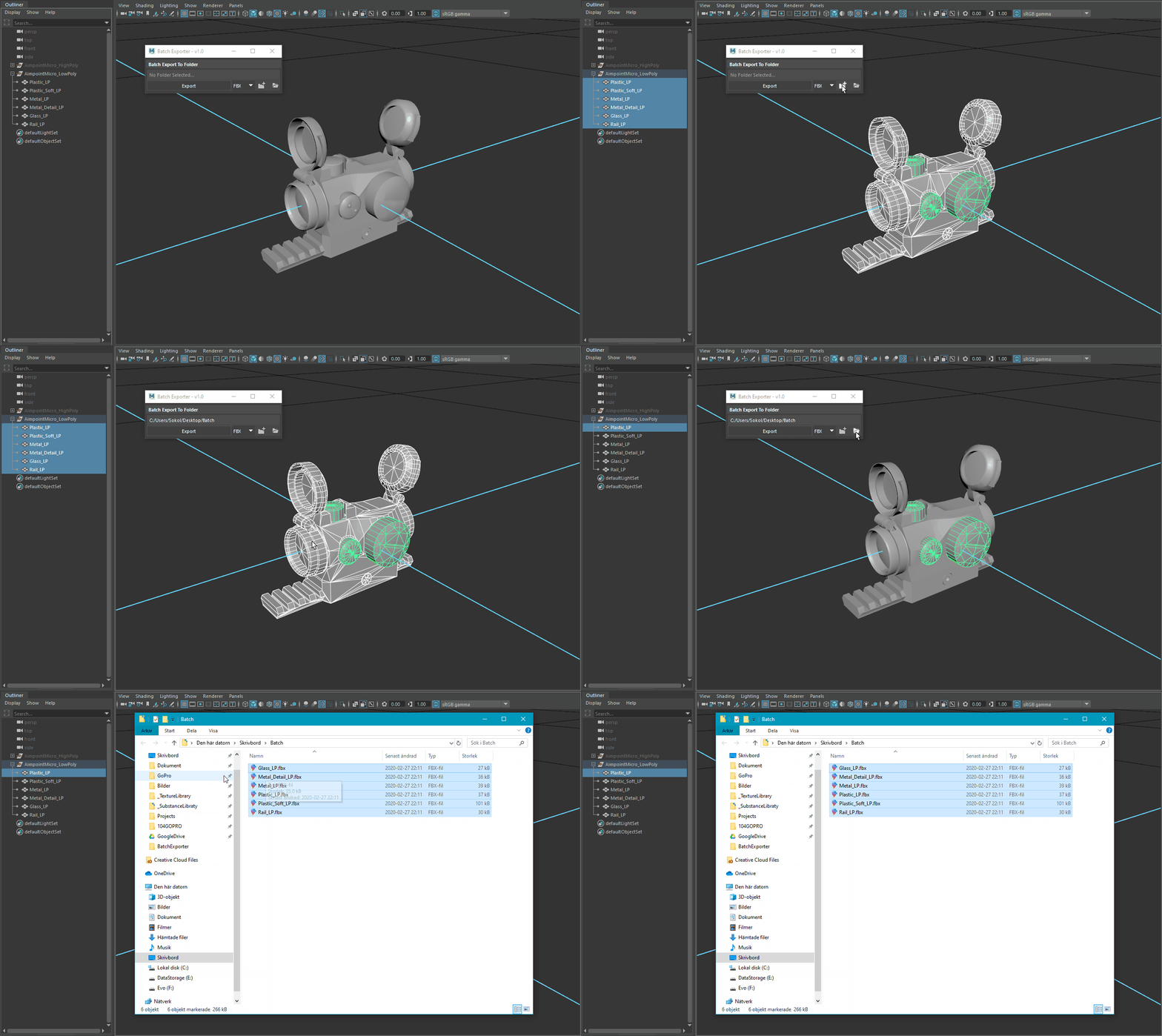
Easy export - Will export and override the files with the same name as the mesh/group names.

Overview

Explanation

How to install - Open the BatchExporter.py and save it to the shelf. Run it from the shelf.